
Archive: Original Research Archive: April 18, 2024 (Post-ACP Lifeline Transition Cycle) | Last Comprehensive Audit: November 2026 | Written by Claire Holloway, MPA and Reviewed by Marcus Bennett, JD
A free tablet for students and low income families in 2026 comes from a school loaner, a library, a nonprofit, or a Lifeline carrier offer. The Affordable Connectivity Program ended on June 1, 2024, so Lifeline is now the federal path. Check the school first, then the library, then Lifeline.
Nonprofit Hardship Summary and Document Checklist Generator
Build a clean summary for a student or family charity application, and print it with the school note if you have one. Put no SSN, EBT PIN, or full date of birth on this page.
A Free Tablet for Students and Low Income Families in 2026
Parents often search for a tablet for a child, and students often search for a tablet for class, and both groups find the same confusing mix of ads, carrier offers, and charity pages. The first fact to know is simple: there is no single federal program in 2026 that mails a free tablet to every student or every low income family. What does exist is a set of separate paths, and each one serves a different group. A school may lend a tablet, a library may lend one, a nonprofit may sell one at a low cost, and a Lifeline carrier may offer one with a service plan.
Lifeline is the main federal program that remains after the Affordable Connectivity Program ended on June 1, 2024. Lifeline is run by the Federal Communications Commission and administered by USAC, and it gives up to $9.25 per month off phone or internet service, and up to $34.25 per month on qualifying Tribal lands. Lifeline pays toward service, and it does not require a carrier to give a tablet to any customer. Some carriers do offer tablets to Lifeline customers, sometimes free and sometimes for a one time co-pay, because a tablet helps a customer use the service.
The one per household rule applies to families too. Only one Lifeline benefit is allowed per household, even if two children in the same home both need a tablet for school. A household is a group of people who live together and share income and expenses. If a parent already uses Lifeline, a second application will be stopped. That is why a family should check the school and the library first, because a school loaner and a library loaner do not count against the Lifeline benefit, and they can serve a second child while Lifeline serves the household service.
Pell Grants, School Aid, and What Changed After ACP Ended
Pell Grants are federal aid for college students with financial need, and they pay toward tuition and other education costs, not toward a tablet directly. A student who receives a Pell Grant can use the aid for books, supplies, and in some cases a computer or a tablet that is needed for classes, depending on the school and the cost of attendance. The school financial aid office is the place to ask, because the rules for what counts as an education expense are set by the school and by federal aid rules together.
The Affordable Connectivity Program, or ACP, once gave up to $30 per month off internet service, and up to $75 per month on Tribal lands, plus a one time device discount of up to $100 with a co-pay of $10.01 to $49.99. Enrollment froze on February 7, 2024, and the program ended on June 1, 2024. That end changed the options for students and families, because ACP had been the program many households used for internet and for a low cost device. Lifeline is now the remaining federal program, and its discount is smaller, at up to $9.25 per month.
A student who received a Pell Grant in the past may have qualified for ACP through that grant, and that path is now closed. The Pell Grant itself still exists, and it still helps with college costs, but it does not replace ACP. A college student who needs a tablet should check the campus aid office, the campus library, and the campus technology lending desk before looking at a carrier offer. Many colleges have a small fund for emergency technology, a loaner pool for the semester, or a refurbished device sale at the start of term.
School Loaner Tablets and Classroom Device Programs
Many public schools lend tablets or laptops to students who need one for class, and that loaner is often the fastest path for a child in kindergarten through twelfth grade. A school may lend a device for the school year, for a semester, or for a single project, depending on the district. The device usually comes with a case, a charger, and a set of rules about care, return, and repair. A parent should ask the school office, the teacher, or the school librarian who runs the loaner program, and ask what happens if the device is damaged or lost.
Some schools run a one to one program, where every student in a grade receives a device for the year. Other schools run a smaller pool, where devices are lent only to students who ask and who show a need. A parent who needs a device should ask early in the school year, because the pool can run out. If the school has no device available, ask to be put on a waiting list, and ask whether the school knows about a library or nonprofit program that can help while the family waits.
A school loaner is usually set up for school work, with the apps and the filters the school uses. That setup is a strength, because the tablet is ready for class on the first day. It is also a limit, because the tablet may not allow games, social media, or personal apps. A family that needs a tablet for homework and for personal use may need a second device, and that is where a library loaner or a nonprofit tablet can help.
Library Lending: Tablets, Hotspots, and Free Wi-Fi
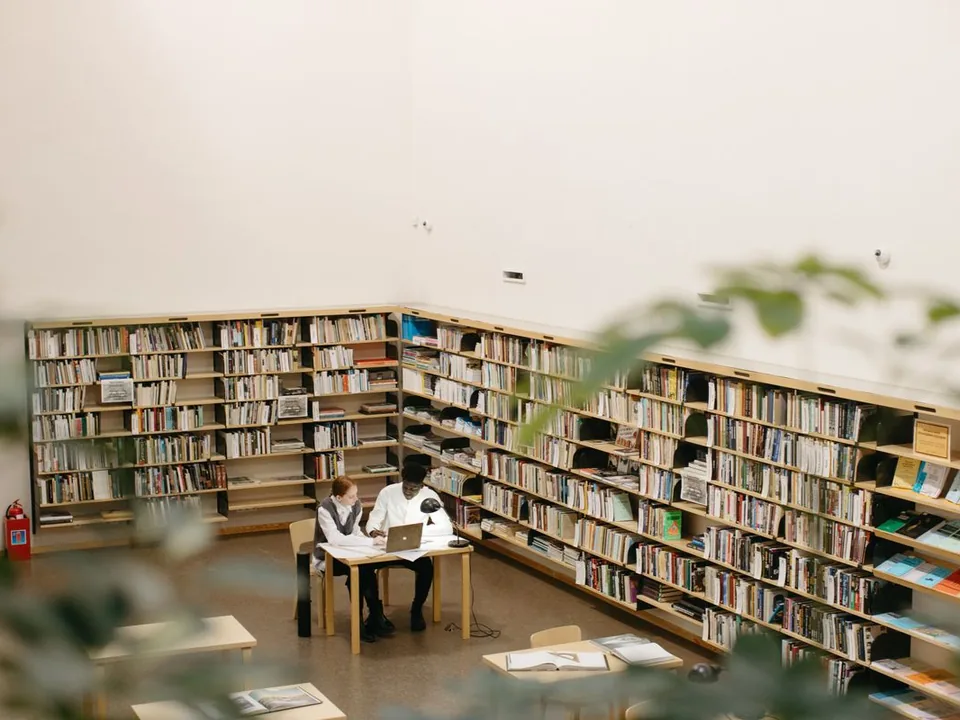
Public libraries lend more than books, and many lend tablets, laptops, and mobile hotspots to card holders. A library tablet is usually lent for a few weeks at a time, and it can be renewed if no one else is waiting. A hotspot lends internet access, which helps a family that has a tablet but no home internet. A library card is free for most residents, and the lending desk can explain which devices are available, how long they can be kept, and what happens if one is late.
Libraries also offer free Wi-Fi inside the building, and many offer free Wi-Fi outside the building as well. A student who has a tablet but no home internet can do homework at the library, download assignments, and use the library computers for printing. Some libraries offer study rooms, tutoring, and help with college applications. A parent who is helping a child with homework can ask a librarian for help with a device, a password, or an app. Librarians help with technology every day, and they do not charge for that help.
A library tablet is a good test before a family buys or accepts a tablet of its own. A few weeks with a library tablet shows whether a child will actually use it, which apps are needed, and how much storage is enough. If the library tablet works well, the family can look for a similar model from a nonprofit or a carrier. If the library tablet sits unused, the family has learned that a tablet is not the right purchase right now, without spending any money. That test is free, and it is one of the smartest steps a family can take.
Nonprofit Tablets for Students: PCs for People and Others
Nonprofit organizations offer low cost refurbished tablets to students and low income families, and they are often the best path when a school loaner is not available. PCs for People is a 501(c)(3) organization with EIN 26-2066045, and it offers low cost devices and internet for $15 per month to households at or below 200 percent of the Federal Poverty Guidelines or enrolled in an income based assistance program. For 2026, the 200 percent ceiling is $31,920 for one person, $43,280 for two people, $54,640 for three people, and $66,000 for four people.
Students who need a device for class can also apply by mail to Computers with Causes, also known as the Giving Center, a 501(c)(3) organization with EIN 92-1162407. It accepts donated Android, Surface, Fire, and iPad tablets, and it reviews mail in applications within 30 days. A teacher or school counselor can add a short note confirming the student needs the tablet for schoolwork.
Human-I-T is another nonprofit that provides certified low cost refurbished tablets and laptops with a one year hardware warranty and internet options for $14.99 per month. A warranty matters for a student who depends on a tablet for homework, because a broken tablet without a warranty can leave a student without a device for weeks. Compare the nonprofit price, the warranty, and the delivery time before choosing. A nonprofit tablet may cost a little up front, but it may also be the right size, the right model, and the right fit for the student who will use it.
College Students: Campus Help, Aid Offices, and Refurbished Options
College students have options that younger students do not, and the campus is the first place to check. A financial aid office can explain whether aid can be used for a device, whether the college has an emergency technology fund, and whether a loaner is available for the semester. A campus library often lends laptops and tablets, and a campus technology desk often sells refurbished devices at the start of term. A student who asks early, before classes start, will have more choices than a student who asks in the middle of a semester when the loaner pool is empty.
A student who receives SNAP, Medicaid, SSI, or Federal Public Housing Assistance can qualify for Lifeline through that program, and a student who does not receive one of those programs can qualify through income at or below 135 percent of the Federal Poverty Guidelines. For 2026, that ceiling is $21,546 for one person, $29,214 for two people, and $36,882 for three people. A student who lives with parents should check whether the household already uses Lifeline, because only one benefit is allowed per household.
A refurbished tablet can be a smart choice for a college student, because it costs less and it can handle notes, reading, video lectures, and email. Check that the tablet has enough storage for textbooks and notes, that the battery lasts through a day of classes, and that it can connect to campus Wi-Fi. A tablet with a keyboard case can replace a laptop for many classes, and a stylus can help with handwritten notes. Buy from a seller with a warranty, and keep the receipt, because a tablet that fails in the first weeks should be repaired or replaced, not thrown away.

What a Student Tablet Needs for Homework and Classes
A student tablet does not need the most expensive model, but it does need to handle the apps the school actually uses. Check with the teacher or the school which apps are required, and check that the tablet can run them. A tablet that cannot run the school reading app, the math app, or the video class app is not useful, no matter how low the price. A tablet with a recent operating system, at least 32 gigabytes of storage, and a screen of eight inches or more will handle most school work. A larger screen helps with reading, and more storage helps with downloaded books and videos.
Battery life matters for a student who carries a tablet to school, to the library, and home again. A tablet that lasts through a school day without charging is easier to use than a tablet that needs a charger by lunch. A case protects the tablet in a backpack, and a screen protector protects it from scratches. A charger that stays at home and a second charger that stays in a bag can save a student from a dead battery during class. These small items cost little, and they can keep a tablet working through the whole school year.
Parental controls and a simple home screen help younger students stay focused. Set up a profile for the child, turn on the controls the school recommends, and keep only school apps on the first screen. A child who can find the reading app, the math app, and the homework app without scrolling through games will finish homework faster. A parent should also set a charging routine, so the tablet is charged at night and ready in the morning. A tablet that is charged, updated, and ready for class is a tablet that helps with school, not a tablet that causes a morning argument.
Costs, Co-Pays, and Monthly Service After the Tablet Arrives
The cost of a tablet is not just the price at the start. It is the co-pay, the activation fee, the monthly line charge, and the cost of internet, all added together for the first year. A carrier tablet may be free at the start, but it may need a cellular line that costs $20 to $25 per month. That line can cost $240 to $300 over a year, which is more than a low cost nonprofit tablet would cost in total. A Wi-Fi only tablet has no monthly line charge, and it can use home internet, school Wi-Fi, or library Wi-Fi for homework and classes.
Lifeline pays up to $9.25 per month toward phone or internet service, and up to $34.25 per month on qualifying Tribal lands. That discount helps with the monthly service, but it does not pay for a tablet, and it does not cover a second line. A family should ask for the price after the Lifeline discount, the price after any promotion ends, and the price of the tablet line itself. Write those three numbers down before signing, because a promotion price and a regular price are often very different.
Nonprofit tablets have a different cost shape. A family may pay a low price up front, and then pay $15 per month for internet from PCs for People, or $14.99 per month from Human-I-T, if internet is needed. That monthly cost is for internet, not for a tablet line, and it can be cancelled if the family no longer needs it. A school loaner and a library loaner have no monthly cost at all, and they are the cheapest options when they are available. Compare all three paths, school, library, and nonprofit, before choosing a carrier plan with a monthly line.
Sharing One Tablet in a Busy Household
Many low income families share one tablet among several children, and that sharing works better with a simple plan. Set a schedule for homework first, then for reading, then for free time. A child who has homework due tomorrow should use the tablet before a child who wants to watch a video. A kitchen timer can help, because it makes the sharing fair without an argument. A charging station in a common room helps too, because a tablet that is charged in a shared place is available to everyone, while a tablet that is charged in one bedroom is not.
Separate profiles help when one tablet is shared. Most tablets allow more than one user profile, and each profile can have its own apps, its own bookmarks, and its own homework. A younger child can have a profile with only school apps, and an older child can have a profile with more apps. A parent can check each profile separately, and a child cannot accidentally delete a sibling homework file. Set up the profiles on the first day, and teach each child the way to switch to their own profile. A few minutes of setup can save hours of confusion later.
When one tablet is not enough, a second device does not have to be a new tablet. A library loaner, a school loaner, or a low cost nonprofit tablet can serve a second child while the first tablet serves the first child. A family that already uses Lifeline cannot add a second Lifeline benefit, but it can still use a school loaner and a library loaner at the same time. Ask the school and the library which devices are available, and keep a list of who uses which device and when it must be returned.
A Checklist for Parents Before the School Year Starts
Start the tablet search early, at least a month before school starts, because loaner pools run out and nonprofit applications take time. Computers with Causes reviews mail in applications within 30 days, so an application sent in July may not be decided until August. A school loaner request made in August may be too late if the pool is already empty. Make a list of every option, school, library, nonprofit, and Lifeline carrier, and contact each one in the same week.
Gather the documents that will be needed, and keep them in one folder. A benefits letter for SNAP, Medicaid, or SSI can prove Lifeline eligibility. Pay stubs or a tax return can prove income for the 135 percent path. A school enrollment letter can prove that a child is a student. A photo ID can prove identity. Keep a photo of each document on a phone, and keep the original in a folder at home. A family that has its documents ready can apply in one sitting, while a family that has to search for papers may miss a deadline.
Test the tablet before the first day of school. Connect it to home Wi-Fi, open the school apps, check that the camera and microphone work for video classes, and check that the battery lasts through a day. Charge it the night before school starts, and pack the charger in the bag. If the tablet is a loaner, read the return date and write it on a calendar. If the tablet is a nonprofit purchase, keep the receipt and the warranty paper. A tablet that is tested, charged, and ready on the first day gives a student a calm start, and a calm start matters more than a perfect tablet.
Keep reading
Each of these pages covers one part of the same decision, and the free tablet for students and low income families page pairs with the list below, so read the one that matches your situation next.
- free nonprofit tablets
- free tablet with EBT
- free tablet for seniors
- free tablet application
- free tablet scams
Start at the free tablet homepage any time you want the full picture again, or go straight to the free tablet application page when you are ready to check eligibility.
Questions readers ask most
Can my child get a free tablet for school?
A school loaner is often the fastest path for a child in kindergarten through twelfth grade. Ask the school office or librarian about the loaner program. Libraries also lend tablets, and nonprofits offer low cost refurbished tablets. Lifeline can help with service, but it does not guarantee a tablet for every student.
Does a Pell Grant buy a tablet for college?
A Pell Grant pays toward tuition and education costs, and it can sometimes cover a device needed for classes, depending on the school and the cost of attendance. Ask the financial aid office before spending aid money on a tablet. Campus libraries and technology desks also lend devices or sell refurbished models at the start of term.
What happened to the Affordable Connectivity Program?
The Affordable Connectivity Program ended on June 1, 2024, after enrollment froze on February 7, 2024. It once gave up to $30 per month off internet and a device discount of up to $100. Lifeline is now the main federal program, with a discount of up to $9.25 per month, and up to $34.25 on qualifying Tribal lands.
How do low income families qualify for Lifeline?
A family qualifies through a program such as SNAP, Medicaid, SSI, or Federal Public Housing Assistance, or through income at or below 135 percent of the Federal Poverty Guidelines. For 2026, that ceiling is $21,546 for one person, $29,214 for two people, and $44,550 for four people. The National Verifier checks enrollment or income.
Can my family get two Lifeline benefits for two children?
No, Lifeline allows only one benefit per household, even if two children need a tablet for school. A household is people who live together and share income and expenses. Use a school loaner or a library loaner for a second child, since those do not count against the Lifeline benefit.
Are nonprofit tablets good for students?
Yes, nonprofits such as PCs for People, Computers with Causes, and Human-I-T offer low cost refurbished tablets to qualifying families. PCs for People serves households at or below 200 percent of the Federal Poverty Guidelines, and Human-I-T tablets carry a one year hardware warranty. Compare price, warranty, and delivery time.
What should I check before accepting a carrier tablet for my child?
Ask whether the tablet needs a cellular line and what that line costs each month, since some offers add $20 to $25 per month. Ask about the co-pay, activation fees, and whether the tablet works on Wi-Fi only. Check that it runs the school apps, has enough storage, and has a battery that lasts through the school day.
How long does a Computers with Causes application take?
Computers with Causes reviews mail in applications within 30 days. Send a clear, honest letter that explains the need, the household situation, and how the tablet will be used for school, with the right documents included. Keep a copy of everything you mail, and note the date it was sent.