
Archive: Original Research Archive: April 18, 2024 (Post-ACP Lifeline Transition Cycle) | Last Comprehensive Audit: November 2026 | Written by Claire Holloway, MPA and Reviewed by Marcus Bennett, JD
Lifeline is the federal program that can lower your monthly phone or internet bill. Some carriers offer a tablet with a promotion or a small co-pay when you qualify. No tablet is guaranteed free, and stock changes weekly, so check the model and terms with the carrier first.
What Lifeline Actually Pays For
Lifeline is a federal program from the Federal Communications Commission, and it is run by the Universal Service Administrative Company, known as USAC. It does not buy you a tablet. It lowers the cost of monthly phone or internet service for a household that qualifies. The discount is up to $9.25 each month in most of the country. On qualifying Tribal lands, the discount is up to $34.25 each month. That money goes toward service, not toward a device by itself.
Only one Lifeline benefit is allowed per household, and that rule is strict. It does not matter if two people in the same home each want a separate discount. The household gets one benefit, and it must be used with one provider at a time. The rules sit in federal regulations at 47 CFR Part 54 Subpart E, in sections 54.403, 54.409, and 54.410. Those sections cover the discount, eligibility, and the checks that confirm a household qualifies. You do not need to read the regulation yourself to apply, but it helps to know the limit is real and it is enforced.
A tablet offer is separate from the Lifeline discount. A carrier that takes part in Lifeline is called an eligible telecommunications carrier, or ETC provider. Some ETC providers run a promotion that includes a tablet, and some ask for a small co-pay. Others offer service only, with no tablet at all. The tablet is never part of the federal discount itself. That is why two neighbors can both qualify for Lifeline and end up with very different offers. One may get a tablet promotion, and the other may get service only. Check what is actually included before you choose.
Who Qualifies in 2026
You can qualify for Lifeline in two main ways. The first is income. Your household income must be at or below 135 percent of the Federal Poverty Guidelines. The second is program participation. If you or someone in your household takes part in a qualifying program, that can also open the door. The program list is specific, so a different benefit that is not on the list will not count. You need to meet one path, not both.
The qualifying programs are SNAP, Medicaid, Supplemental Security Income, Federal Public Housing Assistance, and Veterans Pension and Survivors Benefit. SSI here means Supplemental Security Income, the federal income program, not a state add on by itself. If you take part in one of these programs, keep proof of that participation ready when you apply. A benefit letter, a card, or an official notice can help, but the carrier and the National Verifier will tell you what proof they accept. Do not send original documents unless you are told to do so.
For 2026, the annual income ceiling at 135 percent of the Federal Poverty Guidelines is $21,546 for a household of one, $29,214 for two, $36,882 for three, $44,550 for four, $52,218 for five, $59,886 for six, $67,554 for seven, and $75,222 for eight people. These figures cover the 48 contiguous states and the District of Columbia. If your household is larger than eight, confirm the exact figure with the National Verifier at the time you apply.
AirTalk Wireless, StandUp Wireless, and TruConnect
AirTalk Wireless is one of the better known Lifeline providers, and many people first hear about a tablet offer through AirTalk. Its offers change by state and by time, so a promotion a friend received last month may not be the offer you see today. The company works as an ETC provider in the states where it is approved, and it checks eligibility through the National Verifier run by USAC. You should expect to confirm your identity and your Lifeline eligibility before any device is discussed. That check comes first, and no tablet is promised before it.
StandUp Wireless is another Lifeline provider that many households compare next to AirTalk. It also takes part in Lifeline as an ETC provider, and its tablet promotions, when they run, depend on stock and on the state where you live. A larger screen model may be listed one week and gone the next, and a refurbished tablet may take its place. That rotation is normal for this market, and it is not a sign that a carrier is hiding something. It is a sign that you should ask what is in stock on the day you apply, and get the answer in writing if you can.
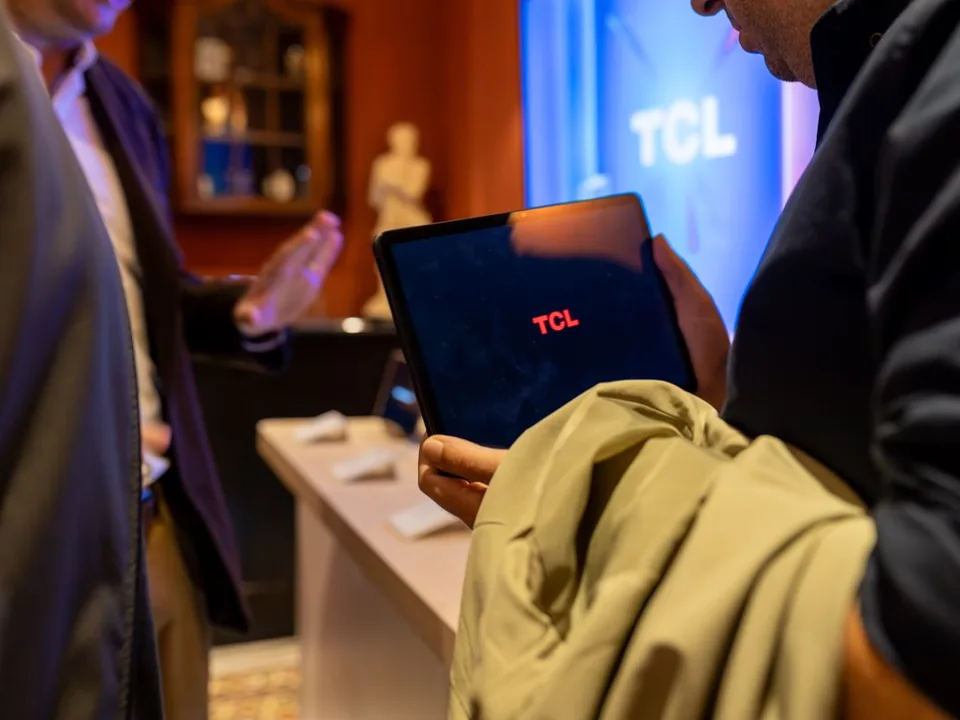
TruConnect is a Lifeline provider that also appears in many tablet searches, and it is worth comparing on service terms rather than on a device photo alone. A photo can make an entry level Android tablet look like a premium device, and it tells you nothing about the monthly service, the coverage in your area, or the terms that follow the first month. Ask about the service that comes with the tablet, how long the promotion lasts, and what happens if the tablet stops working. Those answers matter more than the picture, and they are the answers that separate a useful offer from a poor one.
Maxsip Telecom and Q Link Wireless
Maxsip Telecom is a Lifeline provider that some households find through a local search or a referral, and its name comes up less often than the larger carriers. That does not make it better or worse. It means you should do the same checks you would do for any ETC provider. Confirm that it is approved to offer Lifeline in your state, confirm your eligibility through the National Verifier, and confirm the exact tablet, if any, that is in stock. A carrier that cannot give you a clear answer on those three points is not a carrier you should rush to join.
Q Link Wireless is a Lifeline provider with a long history in the program, and many people know it from its phone service first. Its tablet offers, when they are running, follow the same pattern as other carriers. Stock rotates, models change, and the offer in one state may not match the offer in another. Do not assume that a tablet you saw in an advertisement is the tablet you will receive. Ask for the exact model description, ask whether it is new or refurbished, and ask whether a co-pay applies. Write down the answers, and compare them with the other carriers before you decide.
The real difference between Maxsip Telecom and Q Link Wireless is rarely the tablet itself. It is the service terms, the coverage where you live, and the support you get when something goes wrong. A larger screen model is pleasant, but it is not useful if the service drops at home or if you cannot reach support. A refurbished tablet can serve you well if the service is steady and the terms are clear. Compare the full offer, not the device alone, and choose the carrier whose service fits your daily use.
Free Government Tablet Providers Compared Side by Side
Put the five carriers on the same page before you choose. AirTalk Wireless, StandUp Wireless, TruConnect, Maxsip Telecom, and Q Link Wireless all work within Lifeline, and all of them check eligibility through the National Verifier. That shared step is the most important one, because no carrier can skip it and still give you a Lifeline benefit. After that step, the offers split. One carrier may have a tablet promotion in your state, another may have service only, and a third may have a co-pay that changes the value of the offer.
Compare the monthly service first, then the tablet, then the terms that follow. Ask each carrier what service is included, whether the tablet needs a cellular line or works on Wi-Fi only, and what happens after the promotion period ends. Ask whether the tablet is locked to that carrier, and ask about SIM unlock rules if you may want to change carriers later. A tablet that only works on one network is a different deal from a tablet you can move. Those terms are easy to miss when a free tablet headline takes up all the attention.
Make a short list of questions and use the same list for every carrier. Write down the tablet description, the co-pay if any, the service terms, and the name of the person or the reference number for the call. If a carrier will not answer in plain language, treat that as useful information. A clear carrier will tell you what is in stock, what it costs, and what happens next. A carrier that rushes you, changes the offer mid call, or asks you to decide on the spot is asking you to skip the comparison that protects you.
| Carrier | Network | Tablet pattern |
|---|---|---|
| AirTalk Wireless | T-Mobile | Basic tablet often free with Lifeline, better models carry a co-pay, stock rotates weekly |
| StandUp Wireless | Verizon | Basic tablet with approved Lifeline enrollment, ask for the model in stock this week |
| TruConnect | T-Mobile | Tablet offers vary by state and stock, check the monthly total before you enroll |
| Maxsip Telecom | T-Mobile | Tablet and service bundles vary, confirm the device price in writing |
Tablet Models, Stock Rotation, and What to Expect
Tablet models in this market are best described in general terms. You may see an entry level Android tablet, a refurbished tablet, or a larger screen model, and each of those labels covers a wide range of devices. An entry level tablet can handle video calls, email, web browsing, and basic apps, but it is not built for heavy work. A refurbished tablet has been used before, checked, and put back into service, and its condition can vary. A larger screen model is easier to read, but size alone does not tell you about speed or battery life.
Stock rotates weekly, and that is the single most important fact about tablet offers. A model that is listed on Monday may be out of stock by Friday, and a new batch may arrive the next week with a different model. Carriers do not always update their advertisements as fast as their stock changes. That is why you must check the exact model with the carrier at application time, and why you should not count on a specific model you saw in a post or a video. The model you receive is the model that is in stock when your application is approved.
Expect a simple device, not a premium one, and set your plans around that. A tablet from a Lifeline promotion is meant for everyday use, such as staying in touch with family, checking email, reading news, and joining a video call. It is not a replacement for a new laptop, and it will not match the speed of a high end tablet you buy in a store. If you need a tablet for school work or for a job, test the apps you need as soon as it arrives, and ask the carrier what support is available if the device has a fault in the first weeks.

Service Terms Worth Reading Before You Sign Up
Service terms decide whether a tablet offer is worth taking. Lifeline pays for service, and the tablet depends on a carrier promotion or a co-pay, so the service is the part that lasts. Ask how the monthly discount is applied, whether the service is phone service, internet service, or a bundle, and whether anything changes after the first month. Some offers look generous in the first month and then settle into a basic service. You need to know the steady state, not just the opening offer, before you agree.
Read the terms on activation, on lines, and on changes. Some tablets are activated on Wi-Fi only, and some need a cellular line to work as the carrier intends. A cellular line can carry a monthly charge after a promotion ends, and that charge is the part that catches many people by surprise. Ask whether the tablet will work on Wi-Fi at home without a cellular line, and ask what the monthly cost will be if a line is required. If the answer is not clear, ask again, and ask for the answer in writing.
Ask about the one per household rule, about changing carriers, and about ending service. Lifeline allows one benefit per household, so switching carriers means moving that benefit, not adding a second one. Ask how long a switch takes, whether your number or service is interrupted, and whether the tablet keeps working if you leave. Ask about SIM unlock, and ask how long you must stay with a carrier before a device can be unlocked. Those answers help you avoid a tablet that ties you to a carrier you do not want.
Wi-Fi Activation, Cellular Lines, and SIM Unlock
Wi-Fi activation and cellular line activation are not the same thing, and the difference can cost you money. A tablet activated on Wi-Fi uses your home internet or a public Wi-Fi network, and it does not need a mobile line to browse, stream, or join a video call. A tablet activated on a cellular line uses a mobile network, and that line may carry a monthly charge. Some offers use Wi-Fi only, some use a cellular line, and some mix the two. Ask which type your offer uses before you agree to anything.
A retail offer that adds a $20 to $25 per month cellular line is a common trap, and it often hides behind a free tablet headline. The tablet may cost nothing on the day you take it home, but the line can cost $20 to $25 each month after that, and it can run for many months. That is not a free tablet in any honest sense. It is a tablet paid for through a monthly line. Ask for the total monthly cost, ask how long the line lasts, and ask what happens if you cancel the line. If the store cannot answer, walk away.
SIM unlock matters if you want freedom later. A locked tablet works only on the carrier that gave it to you, and it may stay locked for a set period. An unlocked tablet can move to another carrier if that carrier supports it. Ask the carrier whether the tablet is locked, how long the lock lasts, and what you must do to request an unlock. Ask whether the unlock is free, and ask whether you must be in good standing to get it. Do not assume a tablet is unlocked because it works on Wi-Fi. Wi-Fi use does not prove the cellular side is unlocked.
Scams, Street Tents, and Retail Tablet Offers
Door to door representatives and street tents are a real risk in this market, and they often work by speed and pressure. A representative may offer you a tablet on the spot, ask you to sign a form, and move your Lifeline benefit to a new carrier before you have time to read the terms. That switch can leave you without service from your old carrier, and it can be hard to undo. Take the paperwork home, read it, and compare it with the carrier you already use. A real offer will still be there tomorrow.
Never share sensitive details with a stranger at your door, in a tent, or on a cold call. Do not share your Social Security number, your EBT PIN, or your full date of birth with a person who approaches you in the street. A real carrier will use the National Verifier process, and it will not ask for your EBT PIN by text or by a quick form at a tent. If someone asks for those details in a rush, stop the conversation. Report the incident to the carrier and to Lifeline support if you can, and keep a note of the time, the place, and the name used.
Retail store offers need the same care as street offers. A store may advertise a free tablet, then add a cellular line, a protection plan, or a monthly charge that was not in the headline. Ask for the full cost in writing, including the line, the taxes, and any fees, and ask whether the tablet works on Wi-Fi without the line. If the store will not put the total in writing, do not sign. A tablet that is free only when you pay for a line every month is not free, and a store that hides that fact is not a store you should trust with your Lifeline benefit.
Nonprofit Options and Your Next Steps
PCs for People is a nonprofit that offers low cost devices and internet for $15 per month, and it serves households at or below 200 percent of the Federal Poverty Guidelines. It is a 501(c)(3) organization, and its Employer Identification Number is 26-2066045. That number helps you confirm that you are dealing with the real organization and not a look alike. Its devices are low cost, not free, and its internet price is a set monthly figure, so you can plan around it. Check its current stock and its eligibility rules before you apply, because both can change.
Computers with Causes, through its Giving Center, is another nonprofit route, and its Employer Identification Number is 92-1162407. It reviews mail in applications within 30 days, so you should expect a wait, not an instant decision. Human-I-T is a third nonprofit option, and it offers low cost refurbished tablets with a 1 year hardware warranty, plus internet for $14.99 per month. A 1 year warranty matters for a refurbished device, because it gives you a clear place to turn if the tablet fails. Compare these nonprofit offers with the carrier offers, and do not assume one is always cheaper than the other.
The Affordable Connectivity Program, known as ACP, is closed, and it is important not to confuse it with Lifeline. ACP enrollment froze on February 7, 2024, and the program ended on June 1, 2024. When it was running, it offered up to $30 per month, up to $75 on Tribal lands, and a one time device discount of up to $100 with a co-pay of $10.01 to $49.99. Lifeline is the remaining federal program. Start with the National Verifier, confirm your eligibility, then compare carriers on service, stock, and terms, and choose the offer that fits your home.
Keep reading
Each of these pages covers one part of the same decision, and the free government tablet providers page pairs with the list below, so read the one that matches your situation next.
- free iPad from government
- free tablet with EBT
- free tablet after ACP ended
- free tablet application
- free tablet scams
Start at the free tablet homepage any time you want the full picture again, or go straight to the free tablet application page when you are ready to check eligibility.
Questions readers ask most
Is a tablet really free with Lifeline?
No, not by itself. Lifeline lowers your monthly service cost, and a tablet comes only through a carrier promotion or with a co-pay. Stock changes weekly, models change, and some carriers offer service only. Check the exact tablet, the co-pay if any, and the service terms with the carrier at application time, and do not count on a tablet until your eligibility is confirmed.
Who can get Lifeline in 2026?
You can qualify by income at or below 135 percent of the Federal Poverty Guidelines, or by taking part in SNAP, Medicaid, Supplemental Security Income, Federal Public Housing Assistance, or Veterans Pension and Survivors Benefit. Only one benefit is allowed per household. Eligibility is checked through the National Verifier run by USAC, so keep proof of income or program participation ready.
Which carriers offer tablets?
AirTalk Wireless, StandUp Wireless, TruConnect, Maxsip Telecom, and Q Link Wireless all take part in Lifeline as ETC providers, but their tablet offers vary by state and by stock. No carrier can promise a specific model in advance. Compare the service terms first, check what is in stock at application time, and ask whether the tablet is new or refurbished.
What tablet will I receive?
You are likely to receive an entry level Android tablet, a refurbished tablet, or a larger screen model, and the exact model depends on stock at application time. Carrier stock rotates weekly, so an advertisement may show a model that is no longer available. Ask the carrier for the exact description, then test the apps you need as soon as the tablet arrives.
What happened to ACP?
The Affordable Connectivity Program, known as ACP, is closed. Enrollment froze on February 7, 2024, and the program ended on June 1, 2024. When it was running, it offered up to $30 per month, up to $75 on Tribal lands, and a one time device discount of up to $100 with a co-pay of $10.01 to $49.99. Lifeline is the remaining federal program.
Do I need a cellular line for a tablet?
Not always. Some tablets work on Wi-Fi only, and some need a cellular line. A retail offer that adds a $20 to $25 per month cellular line can turn a free tablet headline into a monthly bill. Ask for the total monthly cost, ask whether the tablet works on Wi-Fi without a line, and ask what happens if you cancel the line.
Can I switch carriers or unlock a tablet?
You can switch carriers, but Lifeline allows one benefit per household, so a switch moves your benefit rather than adding a second one. Ask how long the switch takes and whether service is interrupted. Ask about SIM unlock, how long the lock lasts, and what you must do to request it. Get the terms in writing before you switch.
Where can I get a low cost tablet if no carrier has a promotion?
PCs for People offers low cost devices and internet for $15 per month for households at or below 200 percent of the Federal Poverty Guidelines. Human-I-T offers low cost refurbished tablets with a 1 year hardware warranty and internet for $14.99 per month. Computers with Causes, through its Giving Center, reviews mail in applications within 30 days. Compare all three before you decide.